Chrome 157 Fixes Actively Exploited XML Memory Flaw
- Richard Brown
- 883 reads
Chrome 157 patches nine security issues, including an exploited use-after-free flaw. Check your browser version and install the update as soon as it’s available.
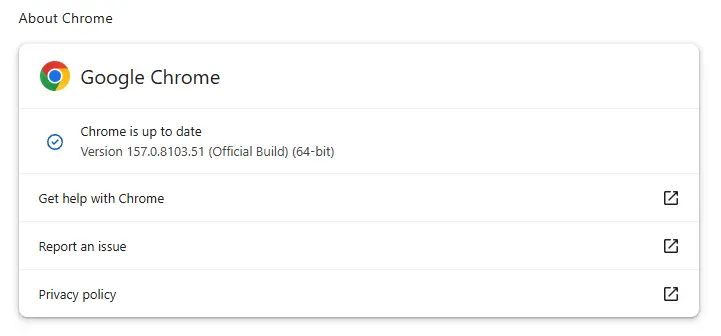
Chrome 157 addresses a flaw that Google says is already being exploited, alongside eight other security issues. For desktop users, the practical step is straightforward: check that Chrome has installed the new version, then relaunch the browser if it asks. The update is rolling out gradually, so automatic updating may not reach every device at once.
Google issued the Stable channel update on November 9 for Windows, Mac, and Linux. It brings Chrome to versions 157.0.8103.50/.51 on Windows and Mac and 157.0.8103.50 on Linux. The release includes nine security fixes. Google has confirmed that an exploit for one of them exists in the wild, but has not described who is using it, which users are being targeted, or what the exploit enables.
Check the installed version
Chrome usually downloads updates in the background, then applies them when the browser restarts. That can leave a browser behind if it stays open for a long time or if an extension or another problem interrupts the process. Since the rollout is gradual, users may also need to wait for the update to become available on their device.
To check manually, open About Google Chrome from the browser’s Settings or Help menu. Chrome will check for an update and download one if it’s available. If the browser displays a Relaunch button, select it to finish applying the update. Then check the version shown on the About page.
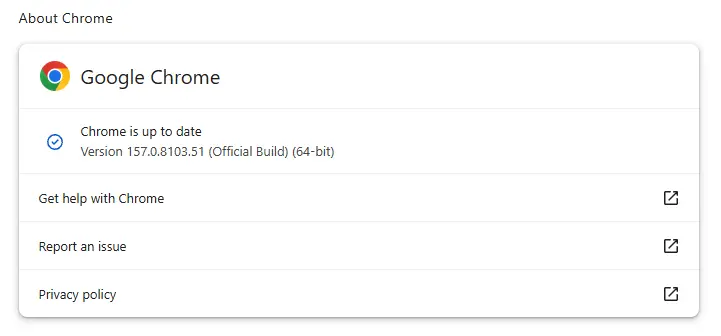
The Windows and Mac builds have two listed version numbers, while Linux has one. The published release notice gives those platform-specific versions; users should compare their installed build with the one listed for their operating system. Google’s desktop release notice has the version details, and a step-by-step update guide covers the process across operating systems.
Google also released Chrome 157.0.8103.50 for Android on November 9. The company says the Android release includes the same security fixes as the desktop version unless it specifies otherwise. Android users can check Google Play for the update.
What the exploited flaw does
The vulnerability is tracked as CVE-2026-125350. Google describes it as a high-severity use-after-free flaw in Chrome’s XML component. Google says it learned of the vulnerability from an unnamed third party on November 6 and is aware that an exploit exists in the wild.
A use-after-free bug happens when software tries to use a memory location after it has released that memory for reuse. The program may crash, or the flaw may create a path for code execution, depending on how the bug can be triggered and what protections are in place. The available details don’t establish which outcome applies to this vulnerability in real-world attacks.
Chrome’s XML component processes certain structured web content. XML, or Extensible Markup Language, uses tags to describe data; unlike HTML, those tags can be defined to fit the information being represented. A flaw in code that processes this content matters because web browsers regularly handle material from websites, but the published information does not explain how attackers trigger this particular bug.
What remains unknown
Google has not named the attackers or their targets, or explained how the exploit is delivered and what it can do. Those gaps limit what users can infer about exposure. The confirmed point is narrower: an exploit exists in the wild, and Chrome 157 includes a fix. There’s no basis in the available details to claim that every Chrome user has been targeted or that the flaw produces a specific result on every affected system.
Hong Kong’s Computer Emergency Response Team Coordination Centre rates the overall risk from the vulnerabilities covered by the update as “Extremely High.” Its bulletin says the issues could allow denial of service, bypassing security restrictions, and remote code execution. Those are possible effects across the vulnerabilities described in the update; the bulletin does not attribute every listed effect to CVE-2026-125350 alone.
For users, the useful signal is the presence of an in-the-wild exploit, not a detailed account of a particular attack. Check the installed version, apply Chrome 157 when it’s available, and relaunch the browser to complete the update. The next useful details would be Google’s account of the flaw’s impact and whether further information clarifies how the exploit reaches Chrome’s XML processing code.


