Microsoft’s November Patch Fixes Exploited Outlook Flaw and 48 Critical RCE Bugs
- David Johnson
- 872 reads
Microsoft’s November updates address an exploited Outlook flaw and 48 critical code execution bugs. Office and Windows devices need separate update checks.
Microsoft’s November security update calls for attention to both Office and Windows administrators: it fixes an Outlook vulnerability attackers are already exploiting, alongside 48 critical remote code execution flaws. The release addresses more than 1,000 vulnerabilities across Microsoft products, but the Outlook issue has a clear priority because it can expose information used to impersonate a user.
The Outlook fix comes through affected Office products, so installing Windows patches alone may leave the exploited flaw unresolved. Teams should verify Office updates on managed devices as well as Windows updates, especially where update controls are centrally administered.
Why the Outlook flaw stands out
Tracked as CVE-2026-124194, the Outlook vulnerability has a CVSS score of 6.5 out of 10. Its severity score is lower than that of some other flaws in the release, but active exploitation makes it an immediate concern. The issue can expose a user’s NTLMv2 hash, authentication data that an attacker may use to impersonate that user.
The attack requires a person to open a specially crafted message file in an affected Outlook version. That action can cause Outlook to connect to a network location controlled by the attacker without showing its usual warning about external content. The connection may reveal the authentication information.
Microsoft describes the weakness as a failure in Outlook’s user interface to warn about an unsafe action, enabling network spoofing. That detail matters for response planning: the described route involves opening a crafted file, so awareness of suspicious attachments can help reduce exposure, but it doesn’t replace installing the Office update. Microsoft’s patch addresses the underlying behavior.
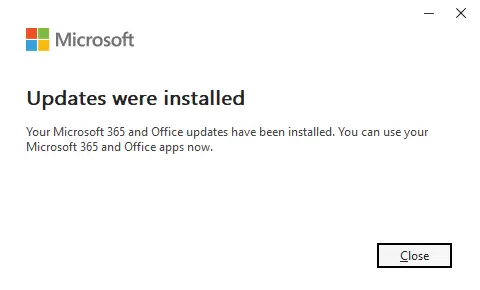
To update Office on a device where users manage updates, open an Office application and go to File > Account. In Outlook, the menu may be labeled Office Account. Under Product Information, choose Update Options > Update Now. If updates are disabled, choose Enable Updates first. Work devices may not show these controls when an organization manages updates centrally; in that case, the IT team can confirm the deployment status.
Office may ask users to save open documents while it installs the update. Once installation finishes, check the product’s update status to confirm it completed.
Windows updates include a severe Search component flaw
The release also includes 48 critical remote code execution vulnerabilities. These flaws can allow an attacker to run code on an affected system; some scenarios require no action from the recipient. One highlighted example, CVE-2026-116928, carries a CVSS score of 9.8 out of 10 and affects the Microsoft Windows Search Component.
Microsoft describes this issue as an out-of-bounds write: the software writes beyond the memory area assigned to it. That can corrupt memory and, under the right conditions, let an attacker execute code. In the scenario Microsoft outlined, Exchange Server processes a malicious email attachment automatically for indexing. The recipient does not need to open the message or attachment; processing alone could be enough for code to run with the affected service’s permissions.
Microsoft has not reported exploitation of CVE-2026-116928. Its high score and the described no-open interaction path still make it relevant to administrators assessing server exposure. The practical question is whether affected systems have received the update and whether any restart or deployment step remains outstanding.
Check Windows and Office separately
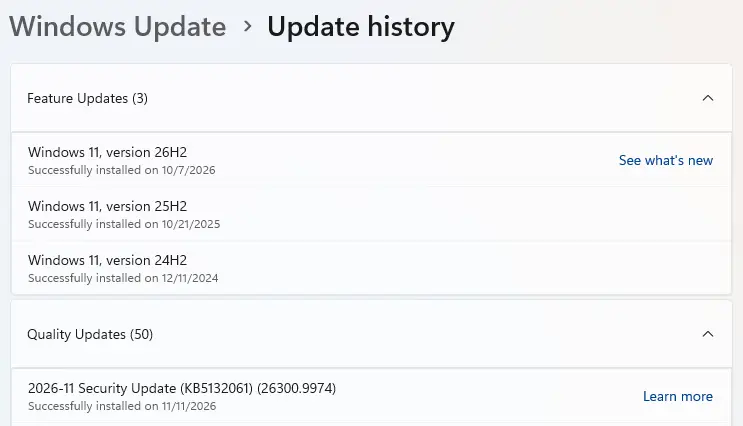
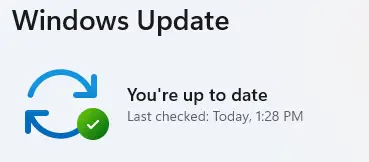
On Windows, open Start > Settings > Windows Update, then select Check for updates. The November security update may appear as KB5132061. Available updates download automatically; install them and restart if prompted. Check Windows Update again after the restart. A status of You’re up to date indicates that Windows has no further updates to install at that point.
Devices configured to receive the latest updates as soon as they’re available may prompt for a restart sooner. For organizations using centralized patch management, administrators can use their normal deployment process and confirm installation across both Windows endpoints and Office products. The two checks cover different parts of this release.
The immediate takeaway is to prioritize the Office update because attackers are already exploiting the Outlook flaw, then verify Windows patch status across endpoints and Exchange Server environments. Microsoft’s notes do not report exploitation of the Search component issue; its automatic processing scenario makes patch deployment and confirmation the next concrete steps to watch.


