Windows Baseline Protection Will Give Apps a Shared Security Check in 2027
- Thomas Williams
- 887 reads
Windows will combine eight existing safeguards into one status check, helping users fix gaps and giving apps a way to set device requirements.
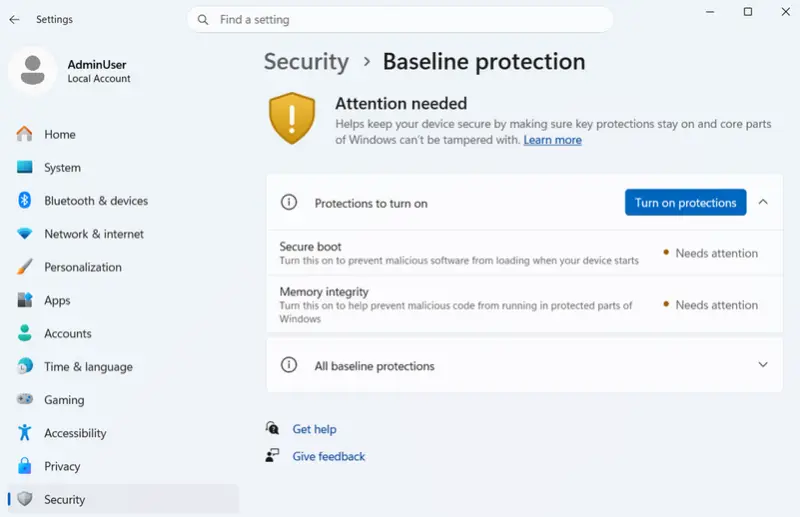
Windows is preparing to turn a scattered set of device safeguards into a single security status that software can check. The planned feature, Windows baseline protection, could make it easier for people to see what their PCs are missing. It could also make it simpler for app developers to restrict access when a device falls short of their requirements.
Microsoft expects the feature to become generally available in 2027. The safeguards it checks already exist in Windows; the change is how Windows evaluates them together and makes the combined result available. That distinction matters: this is a common assessment and setup aid, not a new layer of malware scanning.
One status for eight safeguards
The initial baseline covers eight requirements: a security processor such as a TPM, Secure Boot, virtualization-based security, memory integrity, signed drivers, Windows-certified drivers, kernel debugger protection and vulnerable driver protection. Together, they cover hardware support, startup integrity, isolation of important processes, and limits on which drivers and debugging tools can operate.
That gives developers a shared signal instead of requiring each app to build and maintain its own collection of checks. The result could be useful when a service depends on specific device safeguards. An exam service might check a student’s computer before a test; a game might check protections related to anti-cheat; an organization might check whether a device meets its access requirements.
The signal itself won’t decide what happens next. Developers will choose whether to show a warning, disable some features or prevent an app from running. A key question is whether they’ll require all eight safeguards or select only the ones relevant to their software. The answer will shape how often users encounter access restrictions and whether those checks feel proportionate to the task.
Settings are meant to explain missing protections
For people using personal or unmanaged PCs, the most immediate benefit may be a clearer explanation of the system’s status. Microsoft plans to show missing safeguards on a Windows Settings page. Where possible, users will be able to enable them with one button, followed by a computer restart. If a change requires adjusting firmware settings—for example, to enable Secure Boot or a TPM—Windows will provide guidance.
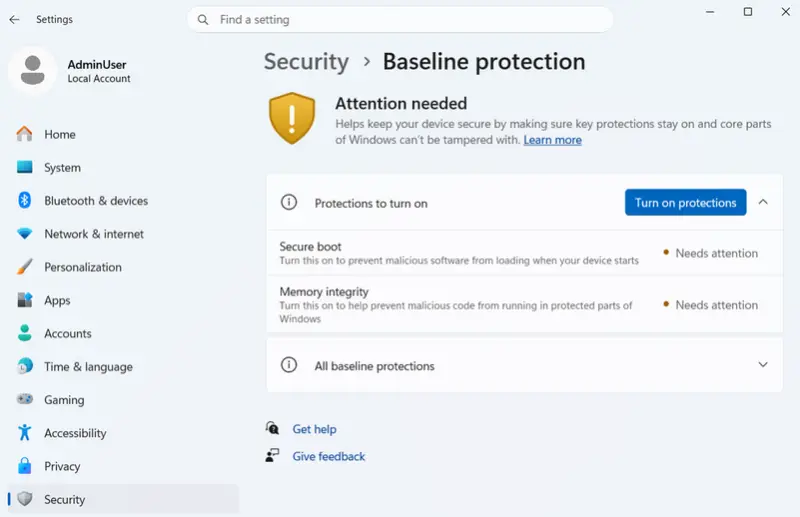
That could reduce the guesswork involved in tracking down individual settings. The setup won’t be equally simple for every PC, though. Firmware options can vary between devices, and changing them may involve steps outside Windows Settings. The planned guidance should help users find those options, but the preview doesn’t establish how consistently that process will work across different hardware.
A useful signal with a narrow scope
Baseline protection describes the state of selected Windows safeguards; it doesn’t certify that a computer is free of threats. A device can meet the checklist and still encounter malware or a malicious website. Conversely, installing a separate security product won’t automatically enable a missing TPM, Secure Boot or driver safeguard. These tools address different parts of device security.
The practical value will depend on how accurately the status reflects the safeguards that matter to an app and how clearly Windows explains any gaps. For developers, a shared check could cut duplicated work. For users, it could turn an opaque access error into a specific setting to review. But a broad requirement could also lock out computers that are functioning normally but lack one of the listed protections.
Windows baseline protection remains in preview, and Microsoft says feedback will inform changes before its planned 2027 general availability. The details to watch are how developers can query the signal, whether they can tailor checks to their needs, and how Windows handles devices that need manual firmware changes. Until those questions are clearer, the feature looks most useful as a guide to configuration—with its effect on app access dependent on choices made by each developer.