How to Clean Wireless Earbuds Without Damaging the Mesh or Charging Case
- James Williams
- 598 reads
A careful five-minute clean can help keep earbuds sounding right and charging reliably. Use minimal moisture, check model-specific guidance and let everything dry.

Built-up wax and debris can affect more than the appearance of wireless earbuds. Grime around speaker mesh may interfere with sound, while dirt near case contacts or sensors can cause trouble with charging or wear detection. A careful clean takes about five minutes of hands-on work and relies on simple supplies; the main challenge is keeping moisture away from sensitive openings.
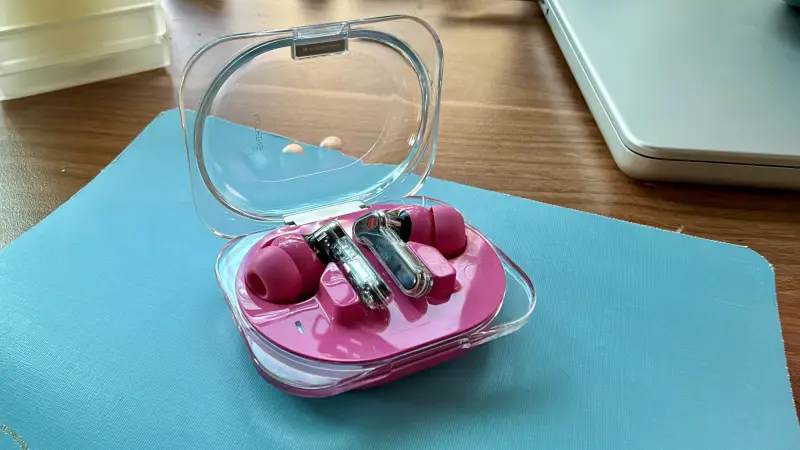
For routine maintenance, Bose recommends cleaning earbuds every two months. How often yours need attention depends on use: workouts, frequent handling and dusty surroundings can leave more residue. The useful principle is to remove buildup before it reaches openings and contacts, while following the instructions for your specific model.
Gather a few basic supplies
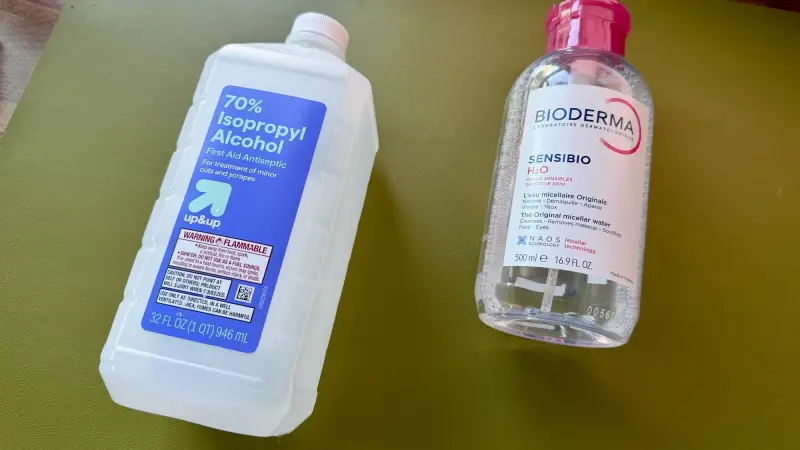
Use a clean microfiber cloth, cotton swabs and a small amount of micellar water. Distilled water is another option; regular water can work in a pinch. A soft-bristled toothbrush is optional for areas where the manufacturer permits it. Keep a second, dry microfiber cloth nearby so you can remove moisture immediately.
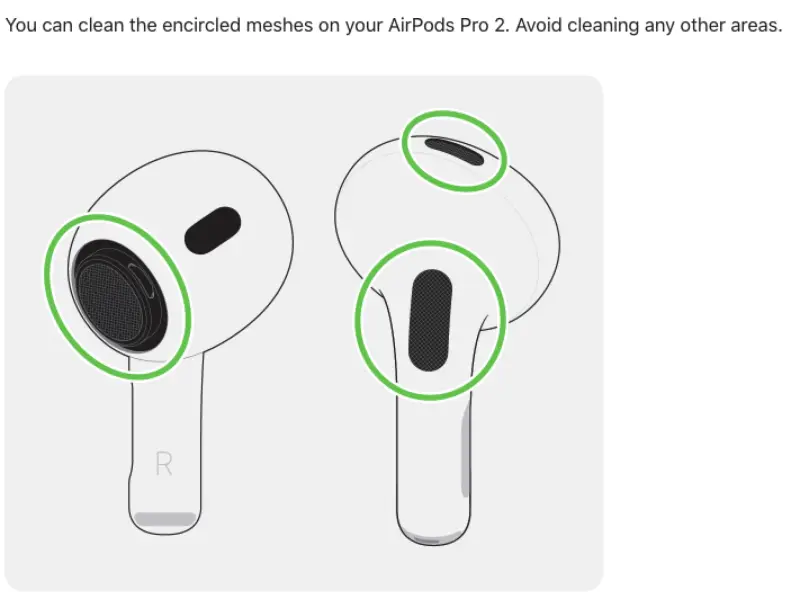
Before starting, check the cleaning guidance for your earbuds. Models differ in where they have microphones, sensors, mesh and charging contacts, and manufacturers don’t all give the same advice about removable tips. Apple’s AirPods Pro instructions, for example, identify areas to avoid. Sony advises against getting the XM6 ear tips wet, while Bose and Apple say their tips can be submerged. Those instructions are model-specific, so don’t assume one brand’s method applies to another.
Clean the earbuds and case in stages
Remove the ear tips. On many models, a light pinch and pull is enough. If a tip resists, check its manual before forcing it.
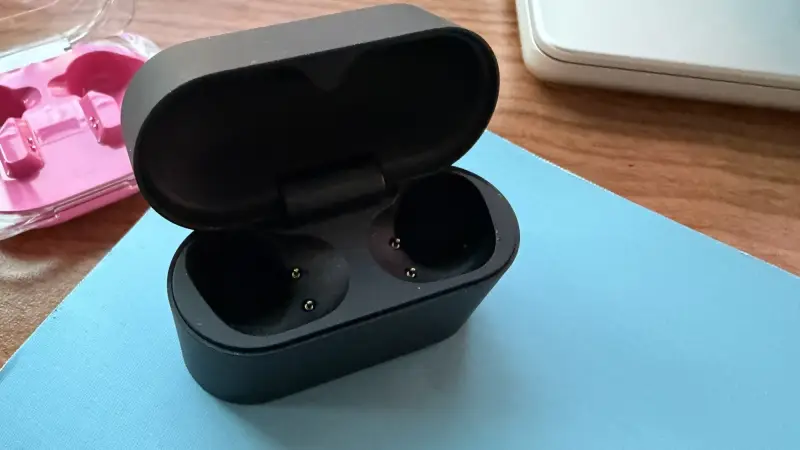
Start dry. Use the microfiber cloth to wipe the earbuds and the outside of the charging case. This lifts loose dust without adding liquid.
Inspect the surfaces. Look over the manufacturer’s guidance for parts that should stay dry or be left untouched. Pay attention to mesh, microphone openings, sensors and the charging contacts.
Address residue on the mesh sparingly. Put a very small amount of micellar water on the cloth, a cotton swab or a permitted soft-bristled toothbrush. Lightly clean the mesh for 15 to 30 seconds, then dry it at once with a clean microfiber cloth. Repeat only as needed, keeping liquid out of openings.
Wipe the case interior. Use a microfiber cloth that is damp, not wet. Avoid getting the charging pins wet; a dry cloth is the safer choice around those contacts.
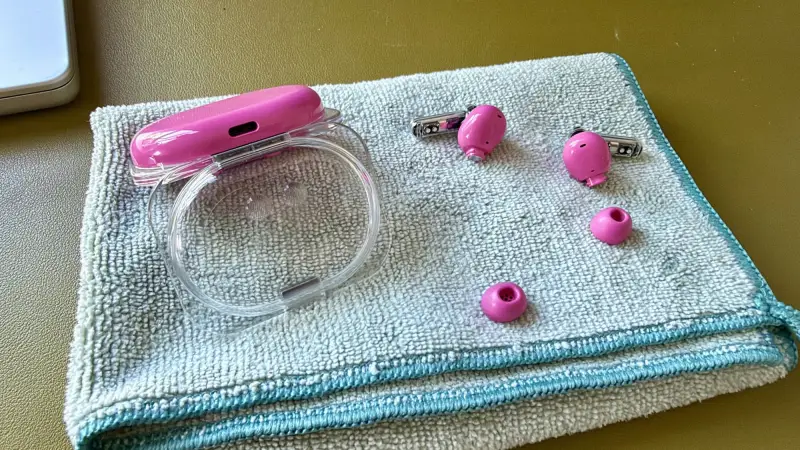
Clean the tips according to their care instructions. A lightly damp cloth is suitable for many removable tips, but not every model allows water. Dry them with the cloth or tap them gently on a towel to remove excess moisture.
Let every part dry fully. Leave the case open and the earbuds and tips on a clean surface. The guidance here is to allow at least two hours before putting the earbuds back in the case. Don’t use a hair dryer or another heat source to speed things up.
Reassemble only when dry. Once the tips, earbuds and case are completely dry, refit the tips and return the earbuds to their case.
Small openings call for a light touch
Wireless earbuds pack speakers, microphones, sensors and electrical contacts into a compact housing. A damp surface can help lift grime, but liquid pushed into a port or mesh can interfere with the hardware. That makes the amount of moisture and the direction of cleaning matter as much as the choice of cloth.
Cotton swabs can reach tight spaces, but their fibers may snag or remain behind. If a cloth is hard to maneuver, wrap it around a swab to gain control while keeping the fabric between the tool and the earbud. Avoid pressing debris deeper into the mesh.
Skip harsh alcohol unless the manufacturer specifically permits it. Beats and Soundcore mention rubbing alcohol in their guidance, while several other brands warn against it; alcohol can degrade some materials. A dry cloth, water or micellar water is the more cautious general approach, with the device maker’s instructions taking precedence.
The practical payoff is maintenance, not a sound upgrade
A clean may restore performance if wax or dust is obstructing the mesh, but it won’t improve earbuds beyond their normal condition. Its value is preventive: keeping residue away from the sound path, case contacts and sensors can reduce avoidable problems over time. The process costs little and needs no specialized equipment, though it does take the earbuds out of use while they dry.
Make model-specific instructions the deciding factor whenever they differ from this general method. A dry wipe is a sensible first step; use moisture only in small amounts, and keep the case open until everything is fully dry. That routine is the difference between removing grime and introducing a new problem.


