Shopify’s Remote Dev Gives AI Agents Dedicated iOS and Android Environments
- Richard Jones
- 989 reads
Remote Macs, attached Android emulators and browser-based previews let Shopify’s River agents build, test and demonstrate mobile changes in parallel.
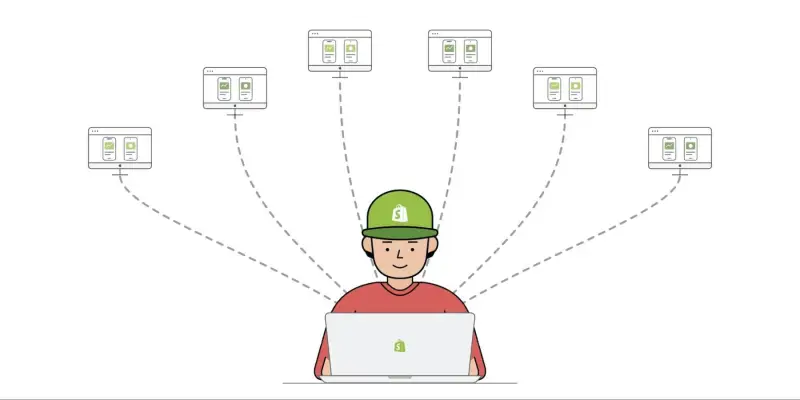
Shopify’s Remote Dev shifts a practical bottleneck in agent-assisted mobile development: the number of tasks teams can delegate had outgrown the number of builds their laptops could handle. The system gives each session with River, Shopify’s AI agent in Slack, access to remote mobile development resources, so agents can work on iOS and Android apps while developers use their own machines for other work.
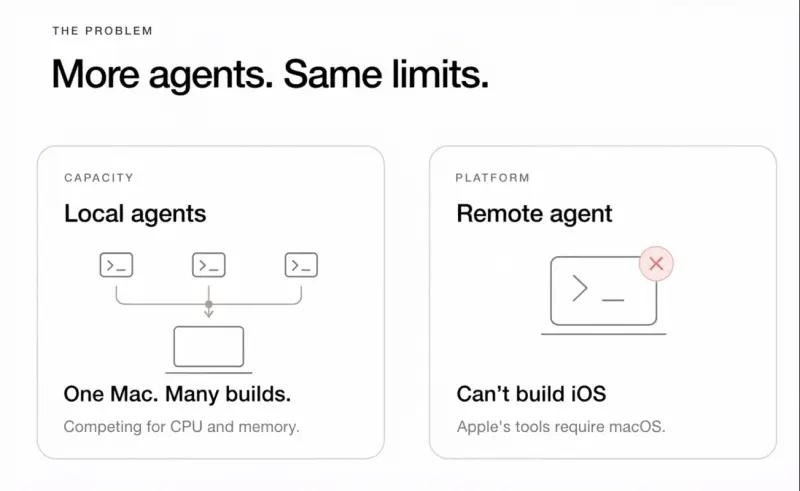
The constraint was specific to mobile. Several agent workflows running together could push a laptop to its limits as compilers, simulators and emulators competed for capacity. Keeping a machine awake became part of the workflow, too; closing its lid could stop work in progress. Shopify’s web and backend teams already used River without tying up local development machines, but a Linux-based agent environment couldn’t build or test an iOS app on its own. Remote Dev connects that agent workflow to Mac hardware equipped for mobile development.
Separate environments make parallel work practical
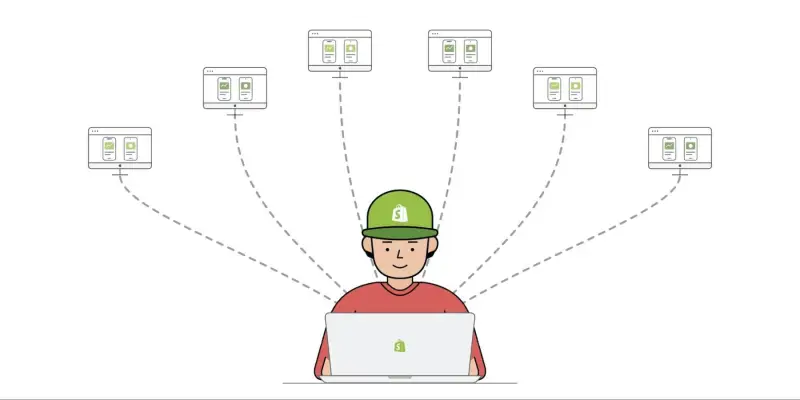
Each River session receives its own environment. That lets one agent investigate an Android issue while another builds an iOS feature and a third tests a pull request. Developers can start tasks through Slack without opening Xcode or Android Studio locally, and the work can continue in the background.
River can implement changes, build the app, run tests, interact with a simulator, gather screenshots and create a pull request. When a build or test fails, it can inspect logs, make a correction and try again. Shopify also uses the setup for maintenance work such as rebasing branches, resolving merge conflicts, investigating failed continuous integration checks, responding to review comments, triaging crashes and reviewing code.
Some workflows start automatically, without someone manually asking River to take on each task. Shopify says some run overnight, selecting bugs, attempting fixes, testing the changes and preparing pull requests for review. That shifts the engineer’s role toward checking the proposed work, while leaving the implementation and initial verification to the agent.
Evidence from the running app
A successful build shows that code compiles; it doesn’t establish that a screen behaves correctly. Remote Dev lets agents exercise apps inside simulators and emulators, then capture screenshots or recordings. For a bug fix, River can reproduce the failure, record it, apply a change and repeat the same steps. Reviewers can compare what the app did before and after, alongside the code.
Shopify has also added automatic explainer videos built from those recordings. The videos show the app inside rendered 3D phone frames, with animation and narration. That could make a change easier to assess for people who don’t want to inspect a full recording or run the app themselves, although the account doesn’t describe how the generated narration is checked for accuracy.
For hands-on review, Shopify built Live Preview. It streams an iOS Simulator or Android Emulator from the remote environment to a website made with Quick. WebSockets carry the device stream to the browser and send user interactions back to the remote device. A reviewer can open a link and use the running app without installing a build or setting up a mobile development environment.
Each Remote Dev session includes a preview for both platforms. Several people can open the same session to watch and interact, and the system supports deep links to specific screens. Shopify also streams the mobile command-line interface, giving users a way to inspect activity beneath the app’s interface. The approach makes mobile review available to colleagues who don’t have a Mac or local simulator configured, including web developers, designers and product managers.
The infrastructure behind the workflow
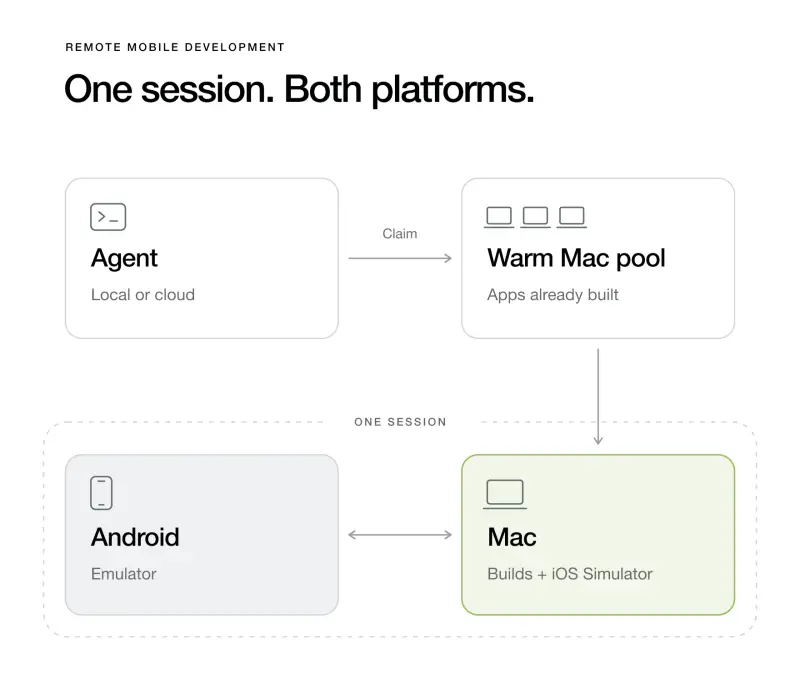
Remote Dev runs on a fleet of Macs prepared with Shopify’s development environment and iOS simulators. Agents connect over SSH. Android presented a separate infrastructure problem: its emulator relies on hardware virtualization, and running it inside a cloud virtual machine requires nested virtualization. macOS doesn’t support that setup out of the box.
Shopify’s workaround is to run the Android emulator on a separate Linux virtual machine with nested virtualization enabled, then connect it to the Mac environment. The agent can build on the Mac and test on either platform within the same SSH session. The arrangement adds another machine to coordinate, but it allows the mobile toolchain to span platforms without requiring the agent’s own Linux environment to run an iOS build.
Startup time was another obstacle. Preparing a Mac after a request arrived meant waiting for the main code checkout, tools and app builds. Shopify says the initial compilation and checkout took more than 30 minutes. It now keeps a pool of prepared Macs available, with the main repository checked out, tools installed, apps built and caches warmed. Because the repository is large, maintaining that ready state is part of the system’s core work.
When a task starts, an agent claims a warm Mac, synchronizes its branch and attaches a prebuilt Android virtual machine. The agent can continue its work in its own checkout, whether local or in the cloud, and synchronize changes to the Mac, where scripts and builds run. Shopify says the time from requesting a Mac to inspecting changes on a running device fell to a few minutes.
Sessions are temporary: Shopify destroys a Mac when its session ends and prepares a replacement. Idle machines are also refreshed periodically with the latest main branch, rebuilt apps and updated caches. The rotation is staggered so the pool remains available while active work continues. The design trades the cost and operational effort of keeping machines ready for a much shorter wait when an agent needs a device.
Teaching River to use remote machines
Having the hardware available didn’t immediately make the workflow work. River initially behaved as if it were confined to Linux: it could edit Swift code, but would say it couldn’t build an iOS app. Shopify created a skill that teaches the agent how to test changes through the remote Mac and show evidence of the result.
That required repeated adjustments to the interaction between the agent and the two machines. River sometimes lost track of the remote Mac, failed to keep the user informed while remote work was running, or took too long to report back. Shopify added a command-line tool that hides the complexity of SSH flags and used observable tmux panes so the agent could follow long-running tasks in real time, instead of relying on pauses or timeouts.
This detail matters for teams building similar systems: access to compute is only one part of the problem. Agents also need a dependable way to start work, observe progress, respond to failures and return useful results. Remote execution that leaves users waiting without updates can make a capable environment feel unreliable.
Adoption became part of the engineering work
Shopify’s mobile developers were accustomed to building and testing locally, and earlier versions of River had given some of them slow builds or failed runs. The team had to improve the experience and help colleagues form a new habit. Internal storytelling and promotional material presented River as a character who gains access to a Mac and can finally work on mobile.
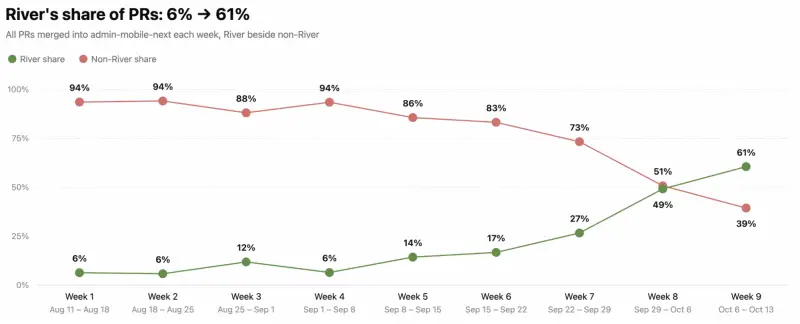
Shopify reports that River’s share of merged mobile pull requests rose from 6% to 61%. That’s a substantial change in the company’s own workflow, but it describes adoption and output at Shopify; it doesn’t, by itself, show how much engineering time the system saved or how its changes compared in quality with locally written work.
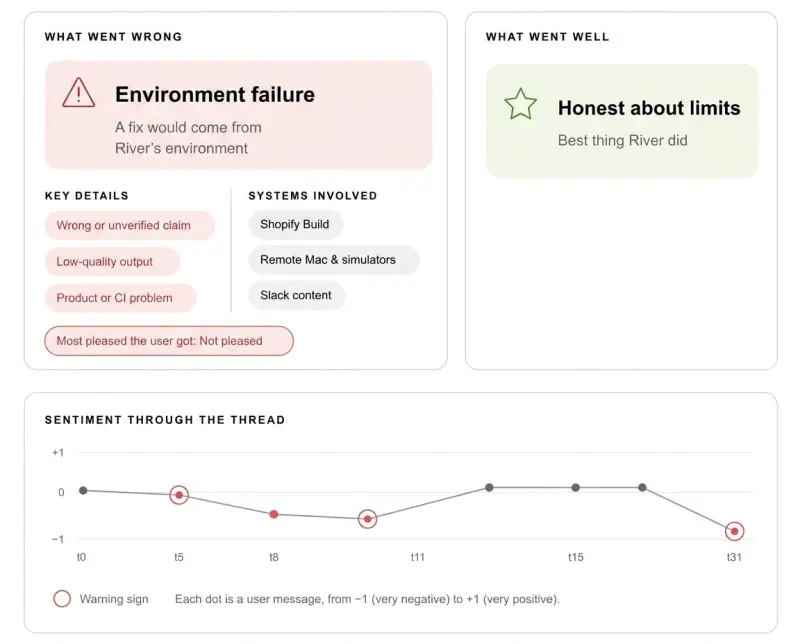
Shopify also treats shared River conversations as a feedback source. A classifier called Jev reviews mobile-related interactions, labels them against multiple questions and categorizes their outcomes. The team uses failures as input for a language model to identify possible improvements, then runs the refinement process through River. That creates a loop for spotting recurring problems in instructions and tool access, though the account doesn’t specify how often the classifier misjudges an interaction or how proposed changes are validated.
What to watch next
Shopify is exploring agents that monitor app health and prepare fixes for crashes, as well as groups of agents that test apps across different devices, languages and user flows. These ideas extend Remote Dev from a way to run delegated tasks into a shared system for testing and review. Their value will depend on how well agents find reproducible problems, avoid creating noisy changes and provide evidence that reviewers can trust.
For now, Remote Dev’s clearest contribution is an operational one: it gives mobile agents access to the machines and devices they need, while making their work visible through recordings and browser previews. Teams considering a similar setup should pay close attention to machine preparation, session cleanup and agent feedback. Those pieces determine whether remote mobile development feels like a usable workflow or just another layer of infrastructure.


