Python Project Setup for Coding Agents: Tests, Types and Clear Structure
- Richard Miller
- 482 reads
A standard Python layout, automated checks, concise docs and Git history give coding agents clearer rules and faster feedback.
AI coding agents can change several files in one pass, but they need a project that makes its expectations clear. A conventional Python layout, automated checks and concise documentation give an agent useful feedback without requiring every instruction to be repeated in a prompt.
That setup can also make work easier to review for the people maintaining the code. Tests catch behavior that has changed, linters flag style and common errors, and type checkers identify mismatches before a change travels further. The value comes from combining those checks into a routine the team can run consistently, whichever coding assistant it uses.
Make the repository legible
A practical starting point is a packaged Python project created with uv, a tool for managing Python installations and packages. After installing it using the instructions for your operating system, initialize the project:
uv init --package ai-agent-project
cd ai-agent-project
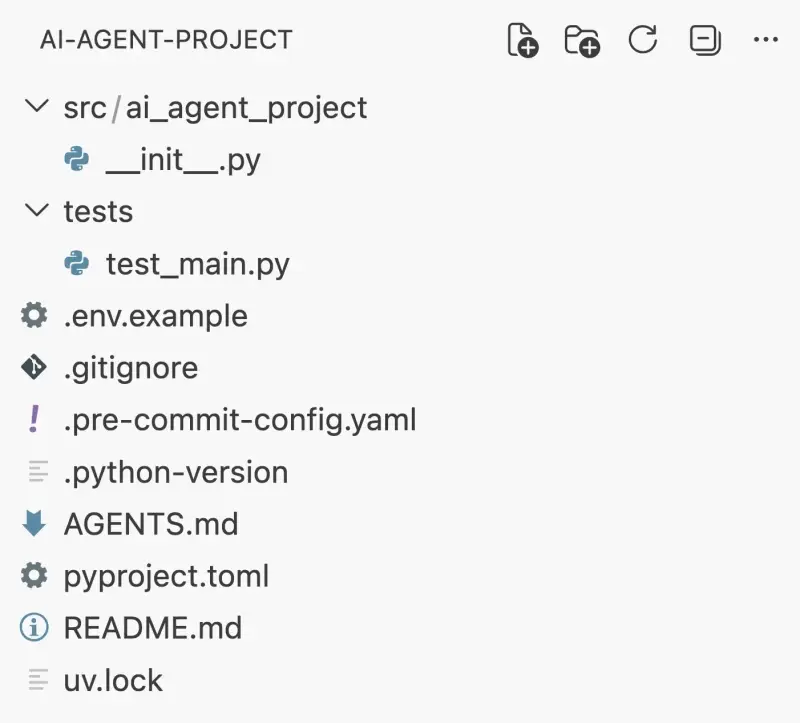
The generated scaffold typically includes a src/ directory, a package directory with an __init__.py file, pyproject.toml, README.md, .gitignore and .python-version. Exact generated files can vary by uv version, but the standard package layout gives people and agents a predictable place to find source code and project settings.
That predictability matters because an agent forms its working model from the repository it can inspect. Familiar names and a clear division between source, tests and configuration reduce guesswork. A cluttered or inconsistent layout asks the agent to spend more of its limited context figuring out where things belong before it can make a useful change.
The same principle applies beyond directories. Configuration records which tools to run and how to run them; documentation explains conventions that aren't obvious from the code; automated checks provide concrete evidence when a change breaks an expectation. Together, these files move recurring guidance out of prompts and into the project, where it remains available to every contributor.
Use checks as a fast feedback loop
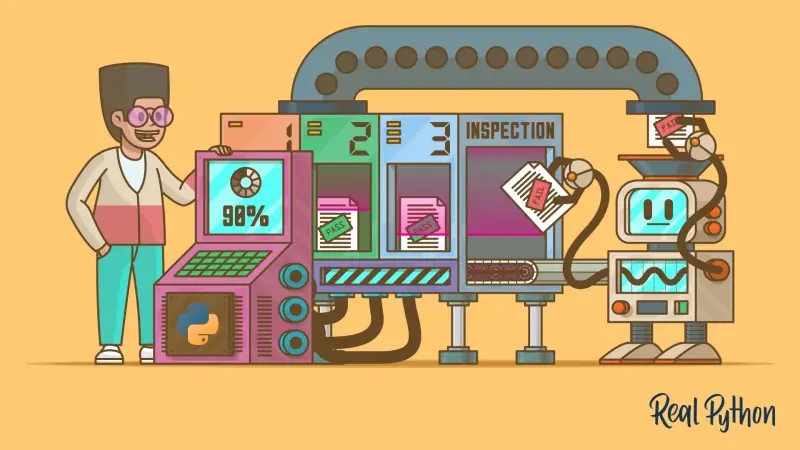
Tests, a linter and a type checker each catch a different class of problem. Tests exercise expected behavior. A linter can point out style issues and common mistakes. A type checker can flag incompatible values and assumptions in code. Their usefulness depends on whether they are configured and easy to run; a tool that exists in a dependency list but has no clear invocation provides little practical guidance.
For an agent, these checks serve as an executable description of some project rules. After making a change, the agent can run them, inspect failures and adjust its implementation. That loop is more dependable than asking the agent to judge its own output from a description alone. It also gives a human reviewer a repeatable way to check the same work.
Keep the checks focused and make the expected commands discoverable. If the project has several commands for tests, linting and type analysis, document them in one obvious place. Clear instructions reduce the chance that an agent runs only one check, guesses at a command or misses a tool that the team considers part of routine validation.
Record a clean starting point in Git
uv init also initializes a Git repository. Save the generated scaffold as an initial commit:
git add .
git commit -m "Initial project scaffold"
This first snapshot provides a known point to compare against as the project changes. Agents can touch multiple files at once, so Git history makes it easier to review the scope of a change, compare alternative implementations or restore files if a result goes in the wrong direction. Small, frequent commits make those comparisons easier to interpret.
Version control doesn't assess whether an implementation is correct; tests and other checks help with that. Git instead preserves the record of what changed. Used together, the tools support a simple review cycle: establish a baseline, ask for a focused change, inspect the diff, run the project checks and keep or revert the result.
Document the decisions that code can't show
A useful README.md should help a contributor orient themselves quickly: what the project does, where its main code lives, how to install or run it, and which checks to execute. Keep the instructions aligned with the actual configuration. Stale setup directions create a second source of truth, which can lead both people and agents to follow steps the project no longer supports.
Configuration files can carry details that otherwise get repeated in task descriptions, including tool settings and project metadata. An .env.example can show which environment variables a project expects without supplying actual secret values. A .gitignore helps keep generated files and local-only data out of version control. These files are most useful when their purpose is clear and their contents match the way the project is used.
Agent-specific instruction files can add guidance for a particular assistant, but the core setup should remain useful without them. The package layout, documented commands and automated checks are ordinary project assets. That makes the foundation portable across tools and helps human contributors follow the same conventions.
Build a foundation that can be checked
Setting up for agent-assisted work is less about elaborate prompts than reducing the number of decisions an agent must guess. Start with a recognizable package structure, keep configuration and instructions together, establish tests and code checks, and commit a clean baseline. Then review changes with the same tools the project documents.
The approach won't guarantee that an agent produces a correct implementation; checks only cover the behavior and rules the project has encoded. But it gives each change a faster, more repeatable path to feedback. As the codebase grows, the next useful improvement is to keep those checks and instructions current, so the repository continues to explain how work should be done.


