Apple HomeView Review: A Polished Smart Display With a Missing App Store
- Richard Martinez
- 355 reads
HomeView pairs smart home controls and personalized features with a sharp 7-inch display, but its $299 price and limited app choices narrow its appeal.
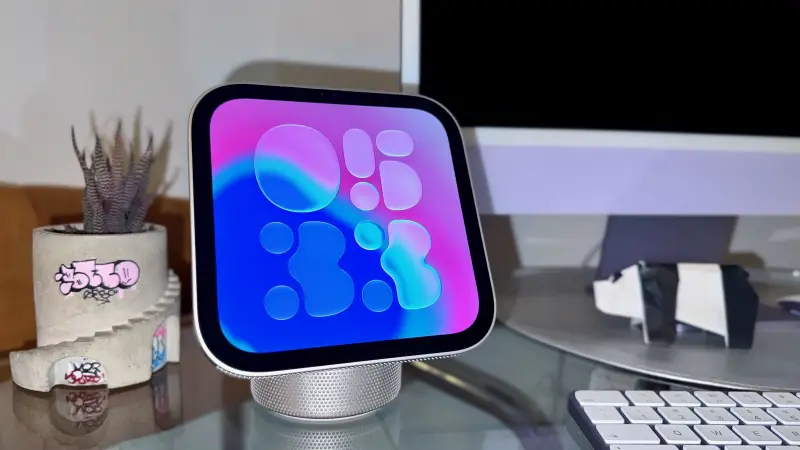
Apple’s HomeView makes the most sense as a shared control point for a home already filled with Apple devices. Its 7-inch screen can surface household information, manage connected accessories, and handle calls and media. The design is appealing enough to leave in view. Yet the lack of an App Store puts a firm limit on what it can do, and $299 is a substantial price for a device whose best features serve Apple households.
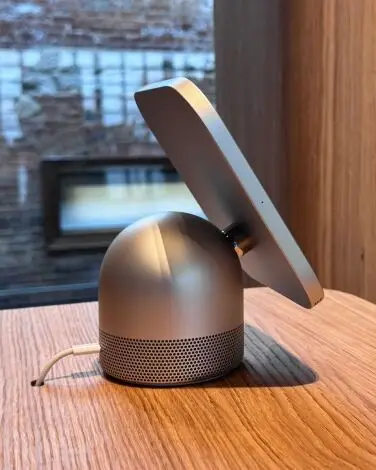
The speaker-base model arrives Friday, alongside a wall-mounted version. The former has an adjustable display hinge; the latter sits flatter against a wall. Both are designed for fixed places around the home, and neither has a battery. The speaker model needs a power connection, so it’s better suited to a counter or desk than a spot where cables would be inconvenient.
A home hub with a narrow app selection
HomeView’s strongest case is the Apple Home app. From the display, users can adjust smart thermostats, dim lights, switch connected devices on or off, and view live footage from compatible cameras. An intercom feature can send messages through connected speakers. In a home with several smart devices, that puts common controls somewhere more accessible than a phone.
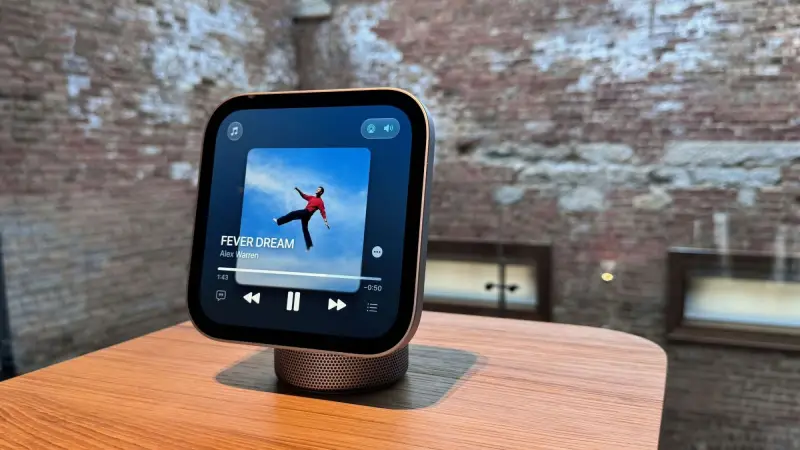
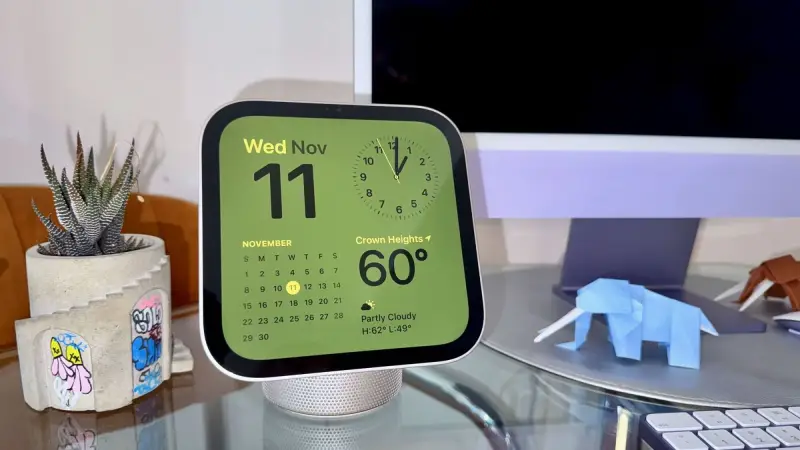
The screen also supports Apple Music, Apple TV, FaceTime, Safari, and calendar features. It can display widgets and clock faces, and it can show personal information for different household members. But there’s no App Store. Safari is the available route to services such as YouTube, Gmail, TikTok, and Disney+, which makes the experience less flexible than a general-purpose tablet.
That gap shapes the value calculation. People who rely on Apple’s apps and already use its smart home products may find enough here to justify the cost. Anyone expecting to install their preferred services or use HomeView like an iPad will run into the limits quickly. For occasional controls and a few built-in tasks, an iPad stand may be a cheaper fit.

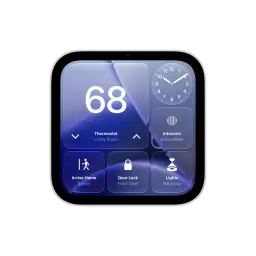
The wall-mounted version may work well in an entryway or kitchen, where smart home controls and camera views are useful at a glance. Its mount is sold separately, bringing the listed total to $378.99. The speaker-base model may be a more natural choice for counters and desks, while households planning to put displays in several rooms will need to weigh those costs against how often they’ll use each one.
Careful design, with a few trade-offs
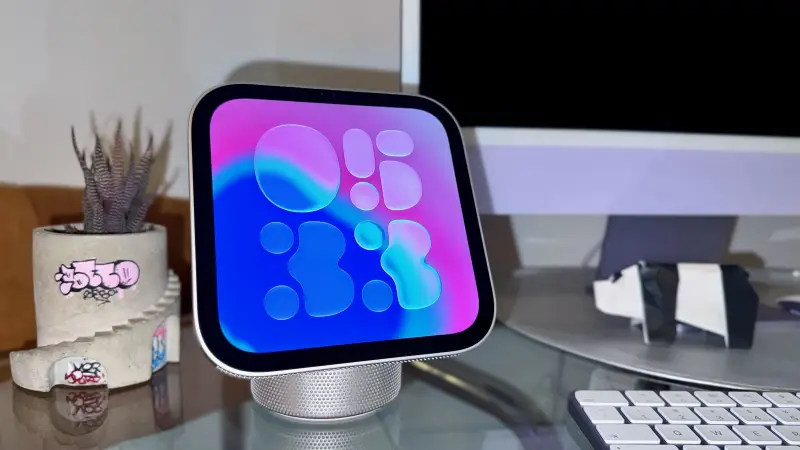
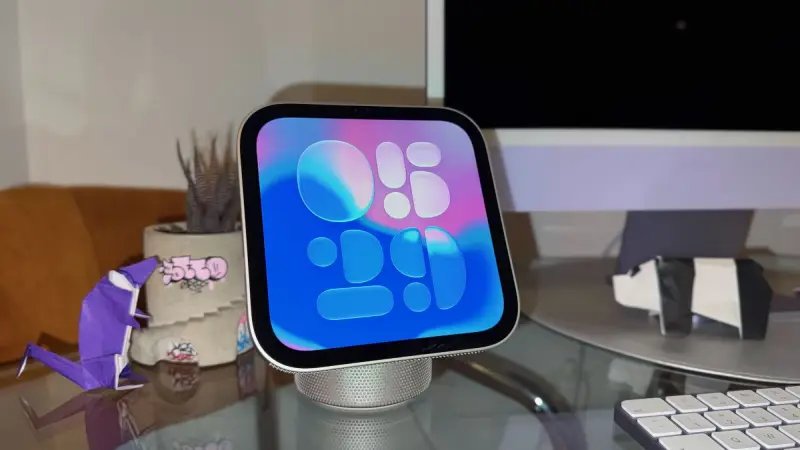
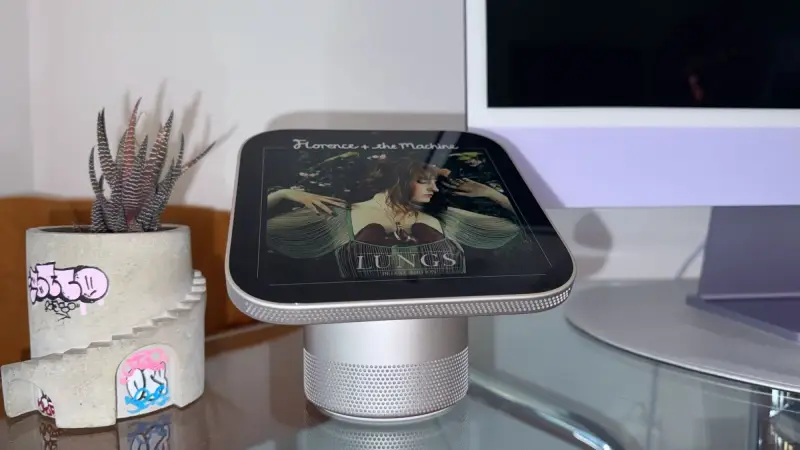
The speaker version has a recycled aluminum body, a stainless-steel adjustable hinge, and perforations in the display and base for sound. A camera and sensors sit in the upper bezel. Its 7-inch Liquid Retina display is clear and bright, and the square screen leaves room for clocks and widgets alongside the device’s home features. The bezels are larger than those on many current displays, though the overall design still feels considered.
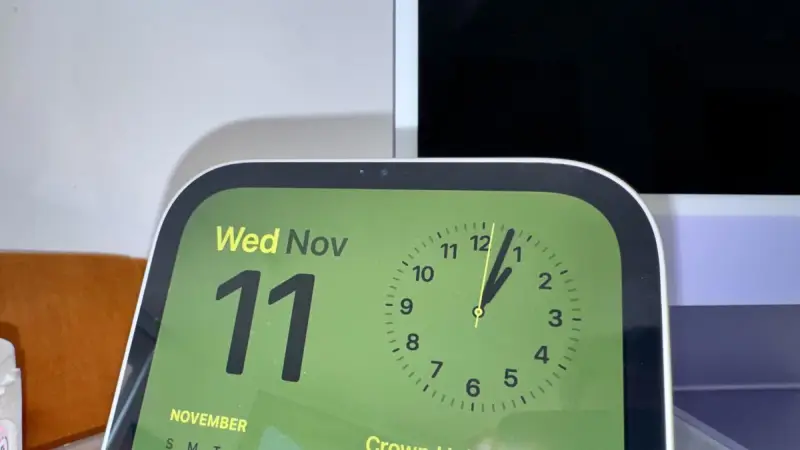
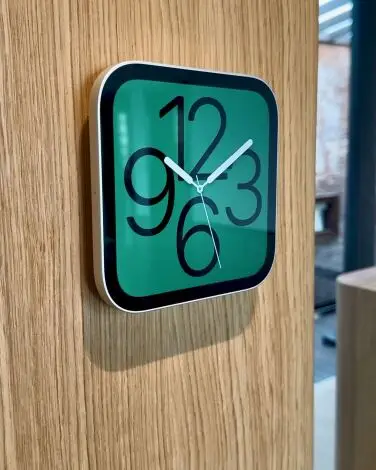
HomeView’s default clock face uses an abstract, swirling design that changes with the light and movement around it. The shapes dim in a darker room and respond as someone moves nearby. Users can also choose from other clock faces and widgets. These touches make the screen feel more tailored to a room than a simple tablet propped on a stand, although they don’t change what the device can run.
Personal context and recipe help
HomeView can recognize as many as six household members by face and voice, provided each has a connected iPad or an iPhone running iOS 27.2. When someone approaches, the screen can bring up that person’s messages, calendar, and preferences. The device calls this feature personal context. Settings for unrecognized visitors let the household restrict explicit content, device controls, and sensitive information.
That approach could make a shared screen more useful than one that treats every person the same. It also makes the camera and microphone part of everyday household use, so the visitor controls and the device’s physical placement deserve thought. There’s no physical switch to cover the camera and turn off the microphone, a notable omission for people who want a direct way to disable them.
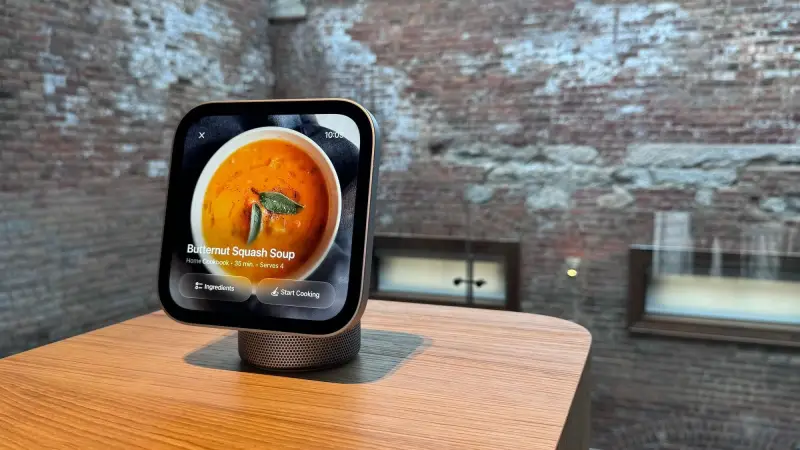
A recipe feature can identify a recipe viewed in Safari and reorganize it into ingredient and instruction lists. HomeView also includes temperature and humidity sensors, which can provide readings even in a home without a smart thermostat. They add practical utility, though the available information doesn’t establish how these readings compare with dedicated sensors.
Siri, calls, and sound
The new Siri AI beta is part of the experience. When called, Siri appears with an animation that drops from the top bezel. Its answers can draw on broad information as well as the user’s personal context, which can make household queries more relevant. In testing, however, it sometimes made mistakes. Siri’s usefulness will depend on continued improvement, and that’s an open question for a product built around quick voice interactions.


The 12-megapixel Center Stage camera is aimed at video calls and performs adequately for FaceTime. The speaker system is less impressive than the device’s shape might suggest. Its bass lacks depth and the overall mix falls short of expectations, though it should be fine for background music while cooking or working. The wall-mounted version uses two full-range drivers; the speaker-base model adds a woofer and passive radiators.
HomeView’s privacy trade-off is straightforward: it adds a camera and microphone to a room. Visitor settings provide some control over what other people can access, but there’s no physical camera cover or microphone switch. That may be acceptable for households already comfortable with connected cameras and voice devices; people who prefer to keep those sensors off will have fewer direct controls.
Hardware and setup
Both models use Apple’s A18 chip and have 8GB of memory. The square display measures 7 inches, with a resolution of 1,088 by 1,088 pixels and brightness up to 500 nits. Connectivity includes Wi-Fi 6E, Bluetooth 6.0, and Thread. The speaker-base model includes two full-range drivers, a down-firing woofer, and two passive radiators, with support for Spatial Audio and Dolby Atmos. Temperature, humidity, ambient-light, and accelerometer sensors are built in.
The speaker model measures 5.73 by 6.82 by 5.13 inches and weighs 2.1 pounds. The wall-mounted version measures 5.73 by 5.73 by 0.39 inches and weighs 0.63 pounds. The speaker model uses a wired 30-watt USB-C power adapter; the wall model comes with a 20-watt adapter. Setup requires an iPhone running iOS 27.2 or an iPad running iPadOS 27.2.
HomeView looks like a useful, well-finished addition to an Apple-centered smart home, especially where a shared screen can simplify daily controls. Its app limits, average speaker performance, and lack of physical sensor controls make the $299 price harder to defend for less committed buyers. Before choosing one, consider which Apple services and connected devices you’ll actually use from the screen—and whether the wall mount’s added cost fits your setup.


